

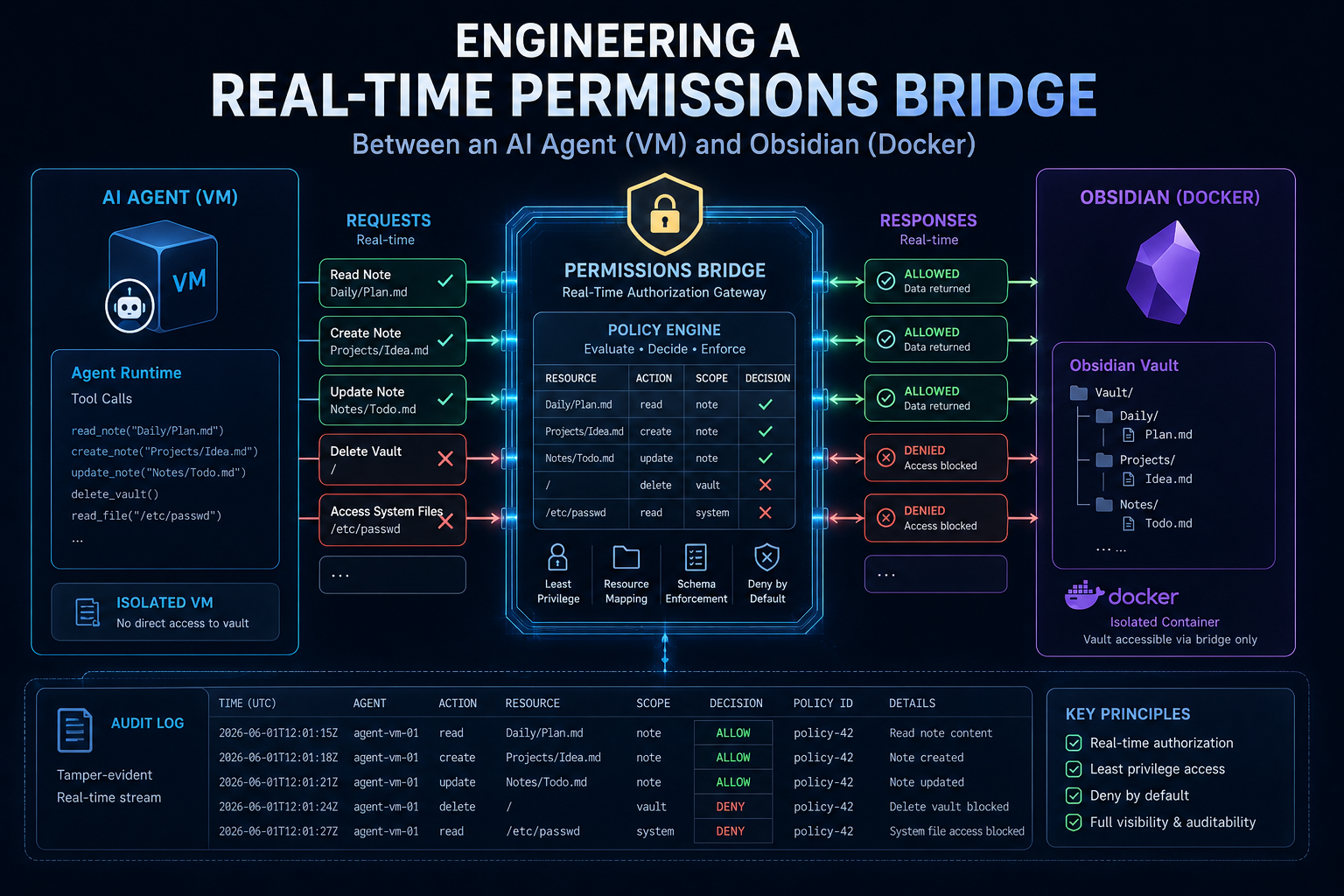
Here is a comprehensive, clean, and technically detailed write-up of our debugging session. It is structured to work beautifully as a standalone technical blog post for WordPress, while providing the exact systemic context, error patterns, and resolution mechanics your AI agent needs to ingest for long-term learning.
Executive Summary
When integrating localized AI agents with desktop productivity tools, data synchronization often breaks down at the operating system and file system layer. This write-up details a deep-dive debugging session resolving a file-permissions conflict where a Python-based AI agent (Hermes) running inside a QEMU/KVM virtual machine was generating Markdown notes that a containerized instance of Obsidian (LinuxServer.io Docker image) could not index or display due to strict POSIX permission masks (600 vs 644).
1. The Architecture Stack
The environment consists of three distinct layers interacting over a shared storage volume:
- The Host (North):
NorthAn UnRAID storage server running an array with user shares (/mnt/user/appdata/and/mnt/user/vault/). - The Client (Obsidian):
ObsidianA LinuxServer.io Docker container running Obsidian with a graphical KasmVNC/Wayland wrapper, mounting the host vault folder to/vault. - The Agent (bigu):
biguA Linux Virtual Machine running an automated development agent (Hermes). The host’s storage is exposed to the VM via a9p(VirtFS) shared mount, exposed inside the VM at/mnt/vault.
2. The Problem Statement
The AI agent successfully executed text generation and exported files to /mnt/vault/hermes-vault/Note.md. However, the files were written with restrictive permissions:
- File Metadata:
-rw------- root root(POSIX600) - Symptom: Because the file was exclusively readable/writable by
root, the containerized Obsidian process (running under a non-root service accountabc, UID99, GID100) was completely blind to the notes. The files existed on disk but failed to render or index in the Obsidian UI.
3. The Debugging Journey & False Starts
Attempt 1: The Container-Side Init Folder (/config/custom-cont-init.d/)
LinuxServer.io (LSIO) containers utilize an initialization framework called s6-overlay. We initially dropped an automated Bash script (fix-hermes.sh) into the standard /config/custom-cont-init.d/ directory mapped on the host array.
Result: Failure. The container log repeatedly spat out:
[custom-init] No custom files found, skipping...
Attempt 2: Resolving s6-overlay Security Guardrails
Deep inspection of modern LSIO deployment specifications revealed two critical constraints for custom initialization scripts:
- Directory Location: The container framework scans the absolute root level path
/custom-cont-init.d/inside the image, not the nested path inside/config/. - Ownership Lock: For security compliance, the
s6-overlayengine silently drops and skips any initialization script not strictly owned byroot:rootwith executable (755) permissions. Because UnRAID appdata defaults to user mapping (nobody:users), the script was blocked.
Fix Applied: We updated the UnRAID Docker template to explicitly map a brand new path:
- Host Path:
/mnt/user/appdata/obsidian/custom-cont-init.d/ - Container Path:
/custom-cont-init.dWe then manually corrected ownership via the host terminal:
chown root:root /mnt/user/appdata/obsidian/custom-cont-init.d/fix-hermes.sh
chmod 755 /mnt/user/appdata/obsidian/custom-cont-init.d/fix-hermes.sh
Result: Partial Success. The container successfully validated and booted the script, but crashed immediately with:
line 7: inotifywait: command not found
The base Obsidian image lacks standard filesystem notification tools. To bypass this, we injected an on-the-fly package installation via apt-get directly into the boot script.
4. Uncovering Atomic File Operations (The Root Cause)
With inotify-tools successfully installing during container initialization, the daemon initialized watches but still failed to alter incoming files from the VM.
By executing an interactive shell inside the Docker container (docker exec -it obsidian bash) and monitoring the storage events live via inotifywait -m -e create,modify,moved_to /vault/hermes-vault, we captured the exact file-creation mechanics of the Python agent:
/vault/hermes-vault/.hermes-tmp.VLtfnf (Created/Modified)
/vault/hermes-vault/.hermes-tmp.VLtfnf (Created/Modified)
/vault/hermes-vault/Test_Note.md (Moved_To)
The Discovery: The AI agent does not write directly to Note.md. Instead, it writes data into a hidden temporary file (.hermes-tmp.XXXXXX) using restrictive 600 masks, and then executes an atomic rename/move operation to rename it to the target file. Because our initial script only listened for create and modify events, it modified the temporary file permissions right before it was deleted/renamed, completely missing the final production file.
5. The Final Solution
The Production Bash Script
The following script was saved on the host storage array at /mnt/user/appdata/obsidian/custom-cont-init.d/fix-hermes.sh. It enforces security compliance, handles run-time dependency provisioning, and captures atomic folder moves.
#!/bin/bash
TARGET_DIR="/vault/hermes-vault"

# Step 1: Provision transient container dependencies
echo "Installing inotify-tools..."
apt-get update && apt-get install -y inotify-tools

echo "Starting Hermes file permission watcher on $TARGET_DIR..."

# Step 2: Intercept creations, modifications, and atomic renames (moved_to)
inotifywait -m -e create,modify,moved_to --format '%w%f' "$TARGET_DIR" | while read NEW_FILE
do
    # Filter exclusively for target Markdown extensions
    if [[ "$NEW_FILE" == *.md ]]; then
        echo "Fixing permissions for Hermes note: $NEW_FILE"
        chmod 644 "$NEW_FILE"
    fi
done &
Verification
A final end-to-end verification check proved the pipeline completely functional:
- Agent Output: Hermes writes an atomic file inside the VM (
bigu). - Kernel Broadcast: The
9pshare passes the filesystem notification across the virtualization hypervisor layer. - Container Trigger: The containerized background daemon catches the
moved_toevent on the target.mdfile. - Correction: Permissions are instantly reset to
-rw-r--r--(644). - Obsidian State: The container UI instantly registers the note, displays contents, and updates indexes without locking out local user access or conflicting with native file creation (which safely defaults to
99:users/644).
Lessons Learned for AI Agents (Knowledge Base Ingestion)
- File System Agnosticism: When developing agents that interface with network shares, unRAID user arrays, or virtualization boundaries (
9p,virtiofs), never assume standard file notification events behave like local block devices. - Atomic Writing Side Effects: Standard Python file-writing utilities (like
NamedTemporaryFileor atomic saves) default to restrictive UNIX permission flags (600). When dropping payload files into external application vaults, ensure final explicit permission evaluation (chmod 644) is handled or explicitly use openumasksif safe. - Init Container Architecture: LSIO image custom configurations require a strict combination of matching root mount paths (
/custom-cont-init.d) and strict host-side ownership (root:root) to pass s6-overlay validation logic.